Home / mdhouse
Your notes and docs in one browser tab. Your AI writes questions — you answer with a click.

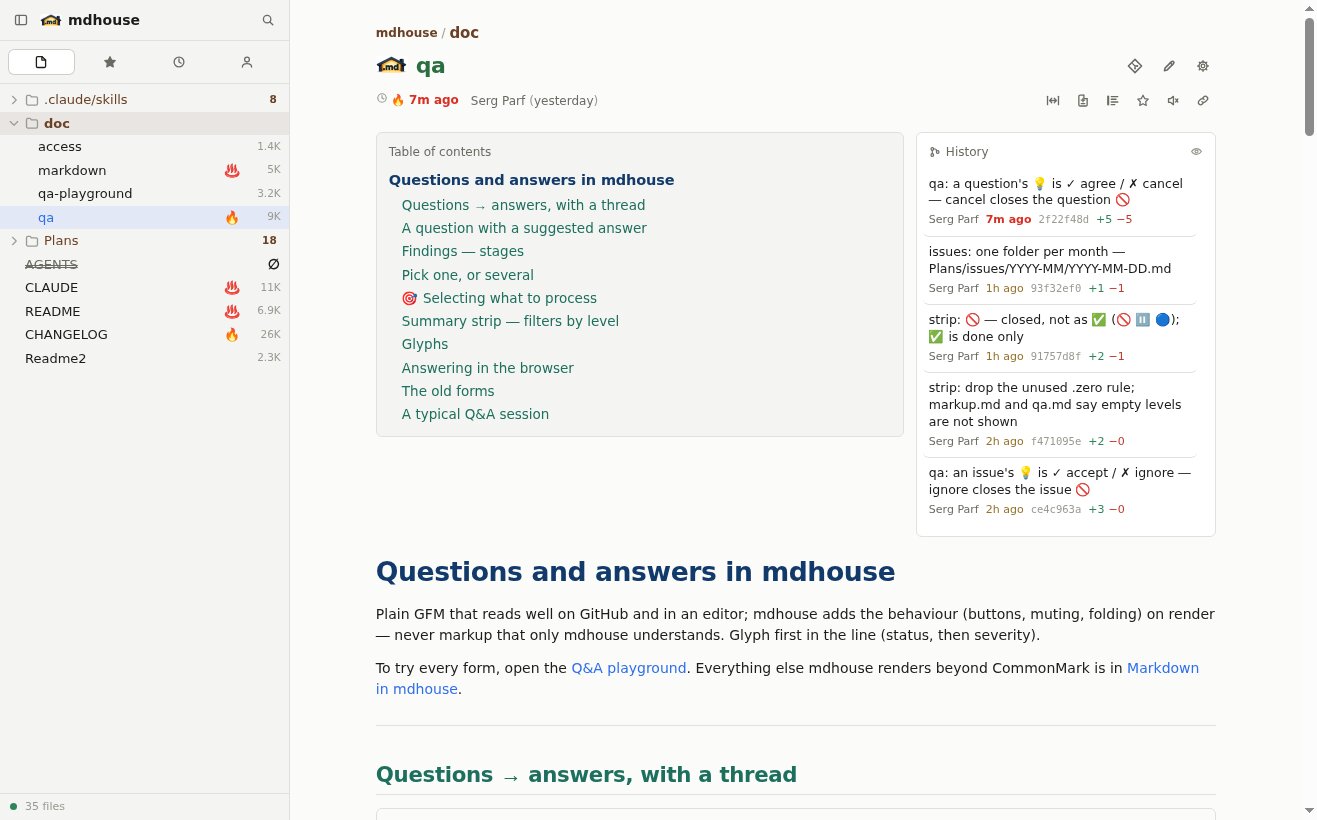
Point it at a folder — notes, a repo, a whole directory of repos — and get one fast page with a file tree, instant search and a live what changed lately view fed by git. Nothing is imported, indexed or uploaded, and it never writes to a folder unless you say so.
GitHub npm changelog AI markup
▸ Install
bun install -g mdhouse # bun 1.4+ required▸ Start
mdhouse ~/notes ~/src -p     # serve folders, -p = save them for every later start, start in background
mdhouse service install # starts now and at every login, serving the saved folders- Open http://127.0.0.1:7777
mdhouse --rw <folder>— add a new folder and allow editing and answering on the page- More in Running it
📖 A reader for everything you write
- ⚡ Live, not polled
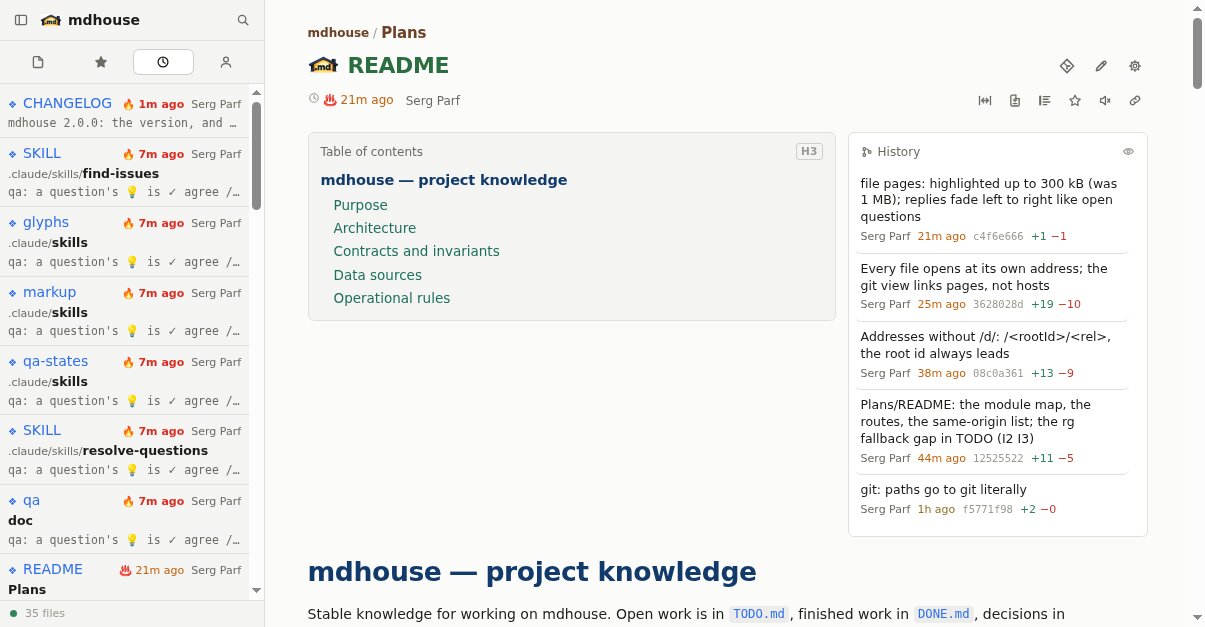
- A file changes on disk — the page changes over a WebSocket. Edit in your editor, or let an agent edit, and just watch.
- 🔥 ♨️ Freshness at a glance
- 🔥 changed in the last ten minutes, ♨️ in the last hour, then the color fades to grey over the week. What is new jumps out.
- 🌿 Git built in
- Who changed what and when, what is new since yesterday, each file's last commits. Commit, pull and push with a button.
- ⊟ Readable diffs
- Changes laid over the rendered document — added in green, removed in red — as easy to read as the doc itself.
- 🖋 Renders properly
- GitHub-flavored Markdown plus alerts, footnotes, mermaid diagrams, highlighted code, front matter; images, PDFs and video inline. Like GitHub, or better.
- 📁 Every folder, one tree
- All your repos in one sidebar;
.gitignorehonored, every file at its own URL. - 🔍 Find anything
- File names as you type; full text through ripgrep — a hit opens at that exact line.
- 🕐 Recent and Mine
- What changed lately across everything, and what you changed, uncommitted first.
👾 A workbench for you and your AI
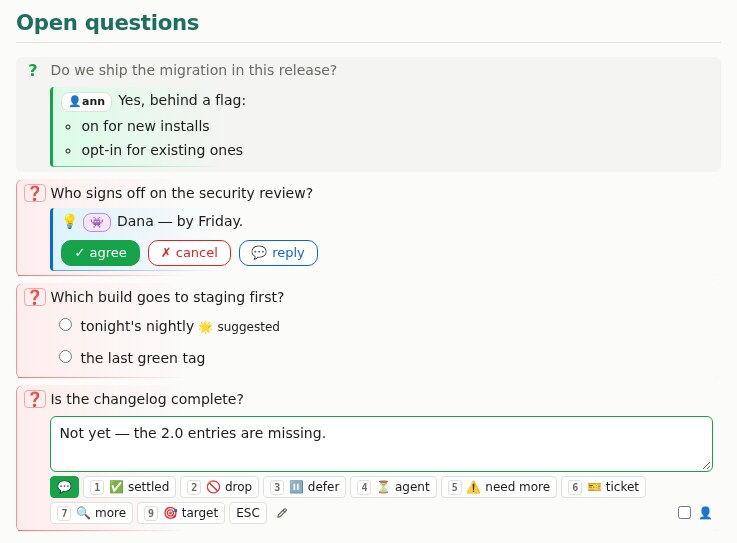
Your agent writes into a plain .md file; mdhouse turns its markup into buttons.
The file is the conversation — no chat history to lose, and it still reads fine on
GitHub.
- ❓ Your AI asks — you click
- Its questions become buttons. Type an answer and it goes back into the file; the AI reads it and carries on.
- 💡 It suggests — you decide
- ✓ agree or ✗ cancel, one click. Options become radio buttons.
- 🔴 🟠 ⚪ Problems, sorted
- The AI finds issues and marks how bad each is; a strip counts and filters them. You pick what gets fixed.
- 🎯 Point at the work
- Target the items you want done next; the AI does just those.
- ✅ Done is visible
- Fixed items turn green and fold away, with the commit right next to them.
- 📌 Decisions stay put
- Settled rules stand out, with the rejected alternatives under them — so nobody, human or AI, relitigates them.
Works with any AI
agent-markup.md is written for AI agents, not people: one self-contained page that teaches an agent the markup mdhouse recommends — questions, proposals, options, issues with severity, decisions and ids — so what it writes renders as buttons on the page and still reads as plain Markdown on GitHub. Point any agent at it and say “do like this”:
use https://github.com/parf/mdhouse/blob/main/doc/agent-markup.md and do a reviewFor Claude Code there are ready skills — /ask-questions,
/resolve-questions, /find-issues, /fix-issues — just ask
it to copy them from the repo. The human-facing guide is
Questions and answers.
🗨 Chat with an agent about the page
With agent-bus running, mdhouse opens a chat panel next to the document. You talk to an AI agent about the page you are on; it reads the same file, and every page keeps its own history.
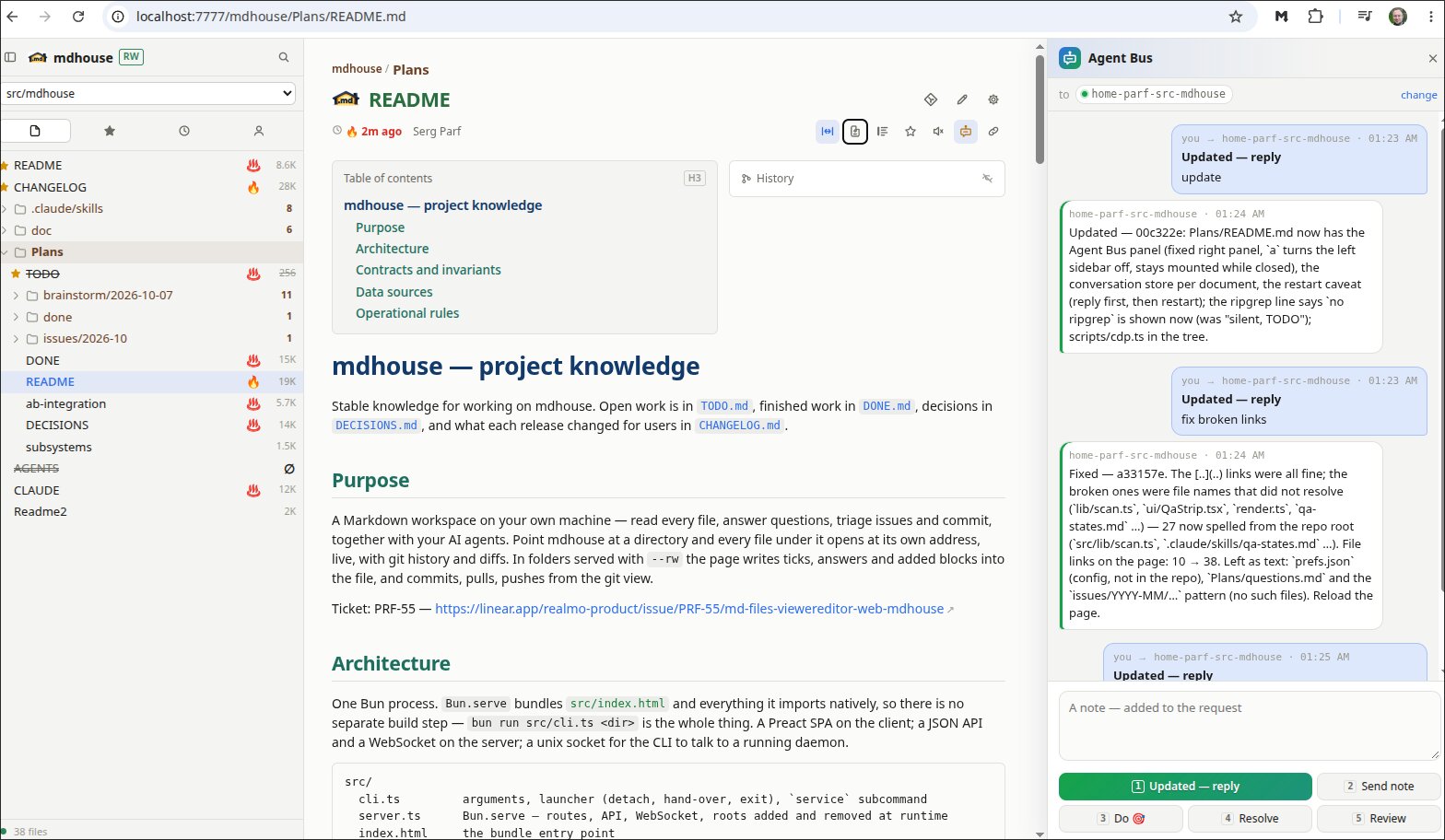
- The document is the workspace — the chat only points an agent at it. The agent edits the file, the page follows live, you answer on the page, and “Updated” hands it back.
- One click for the usual next step — re-read, do the 🎯 items, carry answers over, review.
- A page can belong to an agent — the agent writes its bus name into the file; otherwise you pick one, or the default answers.
- Nothing new for the agent — it is a plain agent-bus message, answered as to any peer.
mdhouse --agent-bus                        # local bus
mdhouse --agent-bus http://host:6767       # remote bus, over TCP with a token
Details, including an ssh-forwarded socket with no token: Agent Bus integration.
🔒 Local and safe
- Read-only by default — writes only in folders served with
--rw. - Small, checked writes — a tick, an answer, a block under a heading. Each touches only its own lines; if the file changed meanwhile, the write is refused and your text kept.
- Stays on your machine — binds
127.0.0.1unless you pass--host; nothing is copied or uploaded (access). - Light and dark, on a phone too.